Loading…
Fetching your data…
SelfRunBusiness
Securing your session…
Fetching your data…
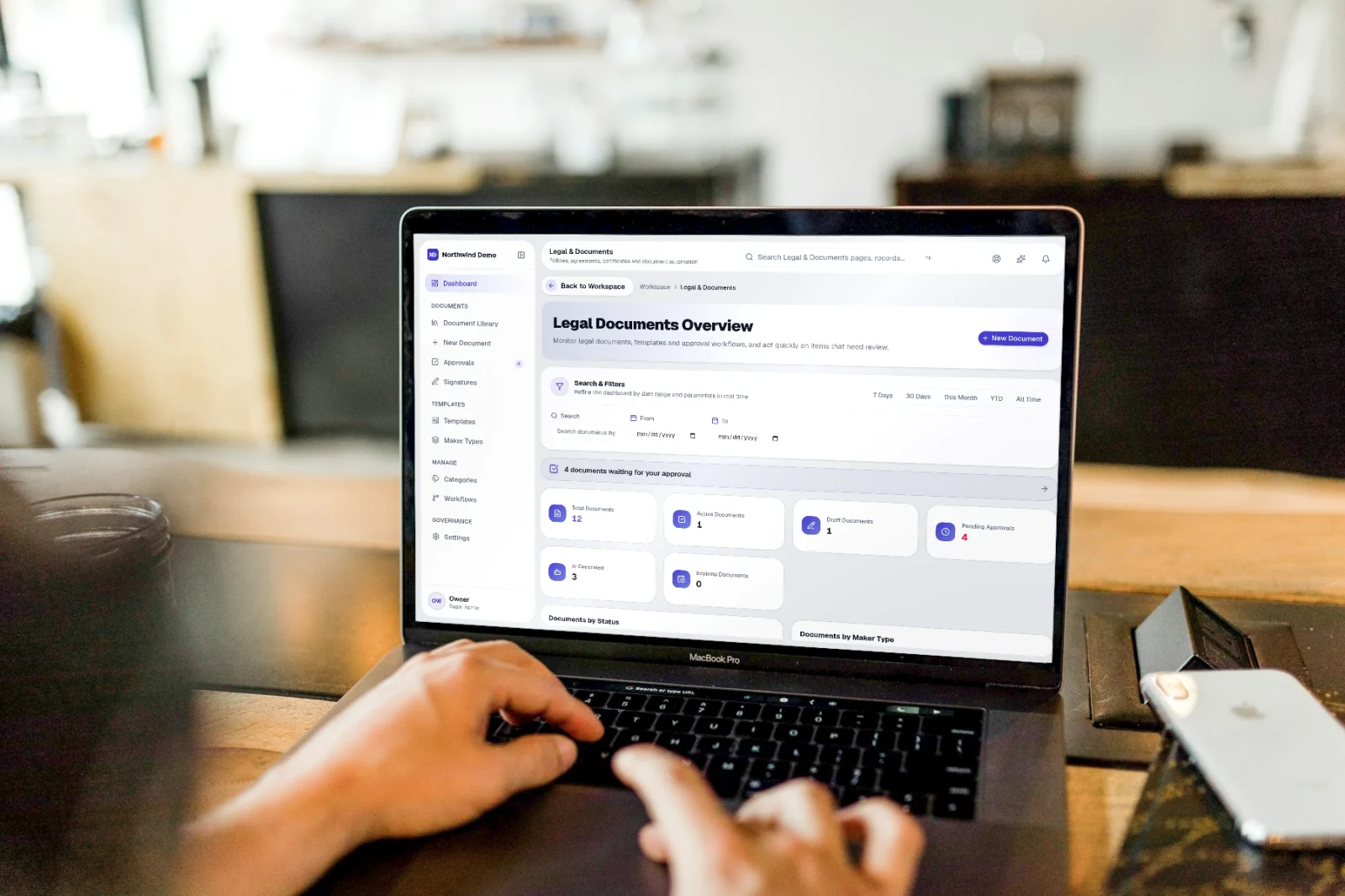
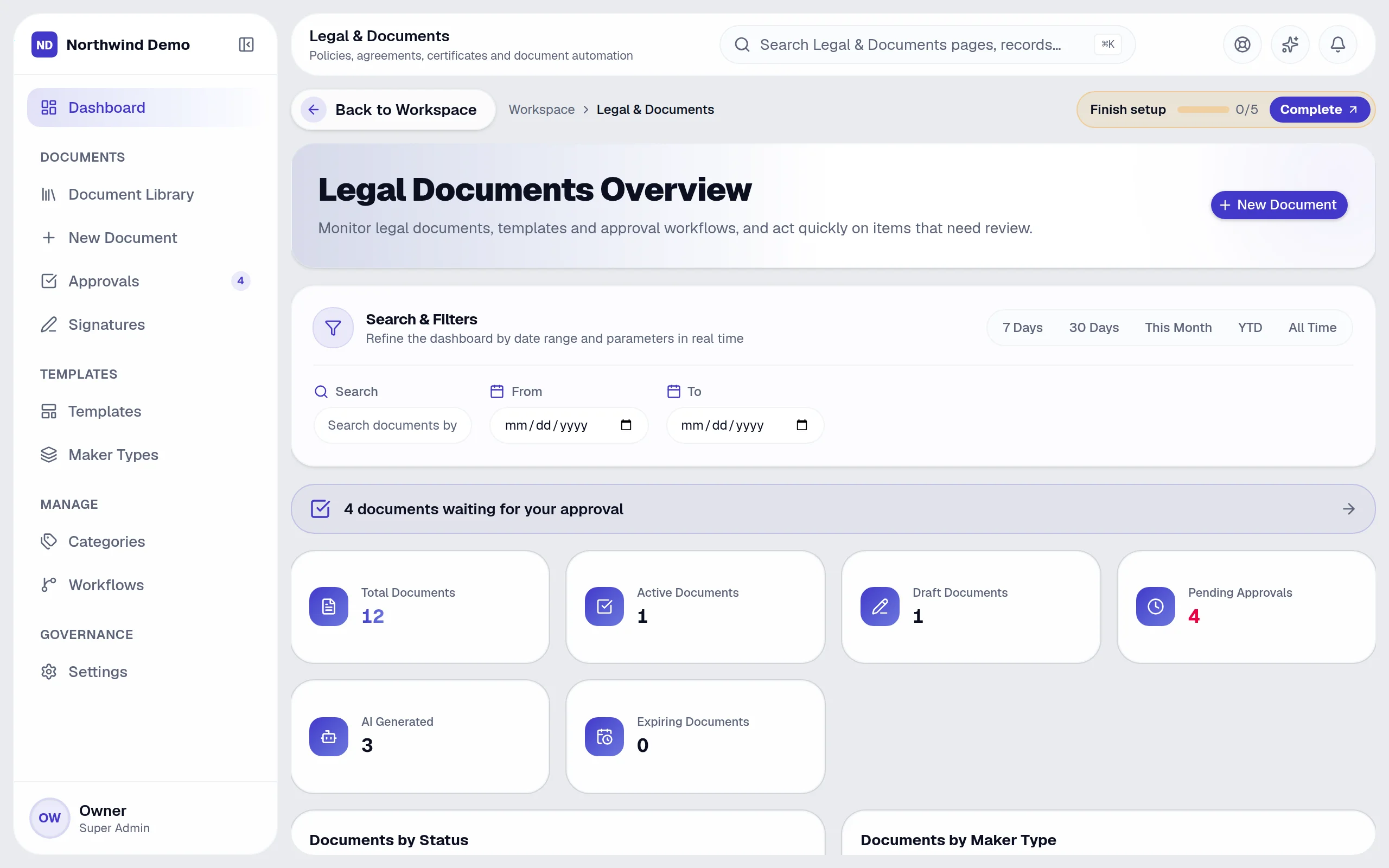
Legal documents dashboard is part of SelfRun ContractFlow AI. Review legal document status, creation trends and approval activity. This guide takes you through it in 7 short steps.
Where it fits in your work — Template. Build reusable blocks and layouts.
Step 1
Open SelfRun ContractFlow AI
Sign in and open the SelfRun ContractFlow AI product from your Workspace dashboard (or sign in to it directly). You see only what your role allows.
Step 2
Open “Legal Documents Overview”
In the left menu of SelfRun ContractFlow AI, open the page called “Legal Documents Overview” (some pages sit inside a menu group — click the group to expand it).
Step 3
Find what you need
Type in the search box (“Search documents by title…”) to find a record quickly.
Step 4
Narrow the list
Use these filters to see only what you want:
Step 5
Add a new one
Click “New Document” to add one. A form opens for the details.
Step 6
Other actions on this screen
You will also see these buttons:
Step 7
Done
Review legal document status, creation trends and approval activity.
Open SelfRun ContractFlow AI → Open “Legal Documents Overview” → Find what you need → Narrow the list → Add a new one → Other actions on this screen → Done
SelfRun TalentOS
Employment documents.
SelfRun CyberVault
Store signed originals securely.
SelfRun Playbook AI
Policies that need a signature.
These are the parts of the Legal Documents Overview screen, exactly as they appear in the product.
Search and filters
Buttons
Sections
SelfRun ContractFlow AI replaces document generation & e-signature tools and runs independently with its own sign-in and database.
Legal & admin
Maintain templates, workflows and the document register.
Document authors
Create documents from approved templates.
Approvers & signers
Review, approve and sign.
Everyone else
Read documents shared with them.
FAQs
About Legal documents dashboard and SelfRun ContractFlow AI.
Your role may not include it. Ask your workspace owner to open Workspace → Users and give your role access to SelfRun ContractFlow AI.
Yes. SelfRun AI works in the browser on any device and can be installed as an app on Android, iOS and desktop, with the same screens and the same data.
No. Legal documents dashboard comes with the SelfRun ContractFlow AI product, and every product is included in every plan.
SelfRun AI is a cloud platform that brings your sales, HR, finance, projects, procurement, training, documents, website and team communication into one system, with AI and workflow automation running through all of it.
No. Each plan includes a set of modules and you switch on only what you need during setup. You can turn modules on or off later from your workspace settings.
Yes. The Free plan is free forever and includes every product and every feature — no card needed. Paid plans add more people and bigger storage, AI, email and voice allowances.