
How to Run Payroll in Under 10 Minutes (Without Making Costly Mistakes)
Key Takeaways
- Manual spreadsheet payroll calculations frequently cause costly tax errors and employee dissatisfaction.
- Direct integration between biometric/mobile attendance and payroll eliminates manual hour tallying.
- Approved leave requests, reimbursements, and deductions apply automatically during payroll runs.
- Employees receive secure digital payslips in their personal self-service portal the moment payroll finishes.
The Agony of Traditional Month-End Payroll
For human resource managers and business owners, the final days of the month often bring immense stress. You have to gather attendance records from clock-in machines or paper logs, match them against vacation emails, factor in approved expense claims, apply tax deductions, and manually calculate net salaries.
A single formula error in an Excel sheet can underpay an employee, create resentment, or trigger regulatory tax penalties. When payroll is handled on disconnected spreadsheets, mistakes are not an exception—they are an inevitability.
Connecting Attendance, Shifts, and Leaves Automatically
The secret to fast payroll is having clean data fed directly from the source. In SelfRun TalentOS, employee attendance is tracked daily through web logins, mobile check-ins, or biometric hardware integrations.
When team members request vacation, sick leave, or unpaid time off, their managers approve or decline requests inside the same portal. By the time month-end arrives, the system already knows the exact count of working days, paid leaves, approved overtime hours, and unpaid absences for every single staff member.
Executing a One-Click Payroll Calculation Run
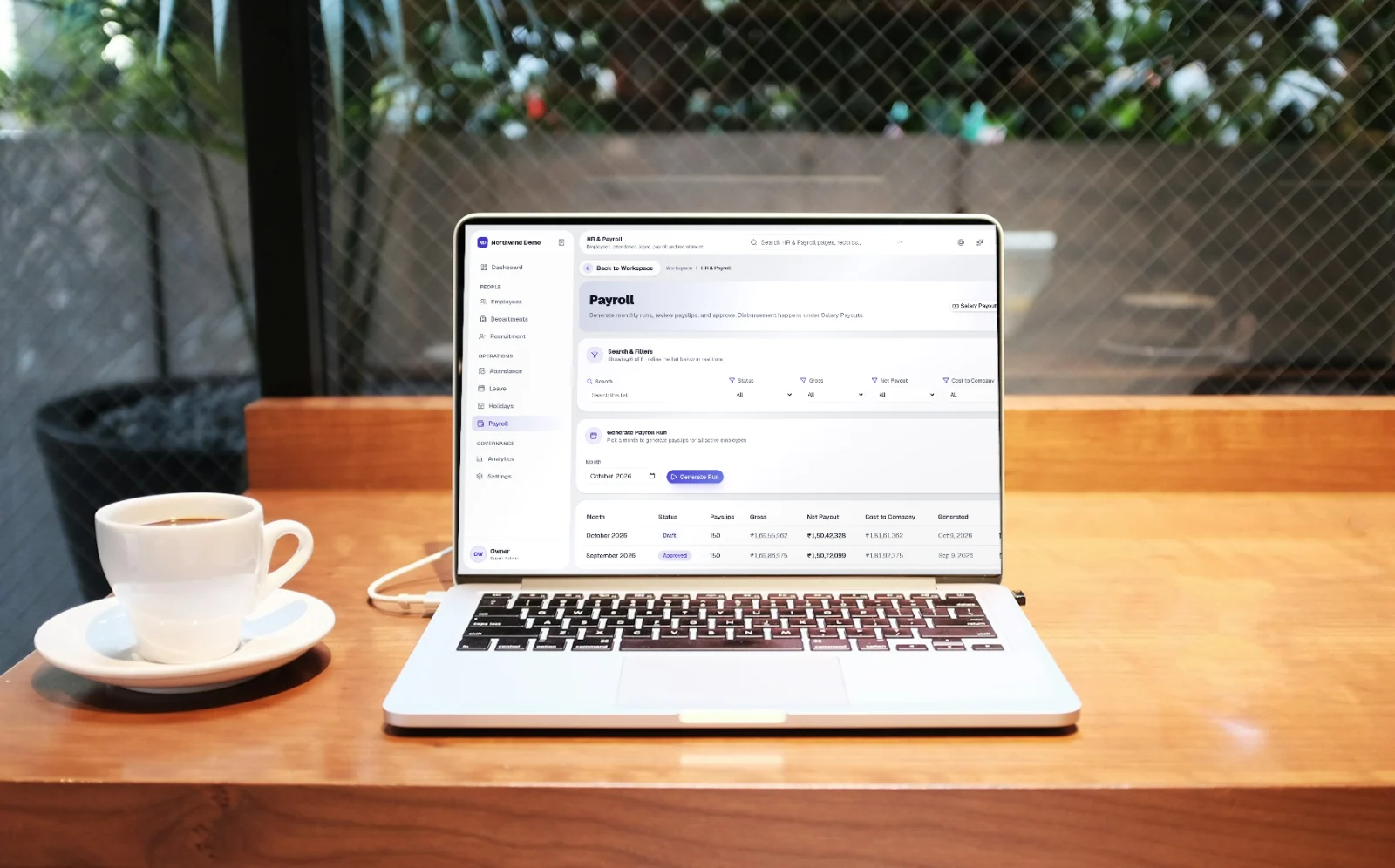
When you are ready to process salaries, navigate to SelfRun TalentOS > Payroll Runs and click 'New Payroll Run'. Select the month and department, then click 'Calculate'.
In seconds, SelfRun AI scans every employee contract, salary structure (basic pay, housing allowance, special allowances), approved expense reimbursements, and statutory deductions like Provident Fund, ESI, or professional tax.
The system displays a clear summary table showing gross salary, total deductions, and net payout for the entire company. You can review anomalies or make one-time bonuses with a click.
Instant Digital Payslips and Direct Payouts
Once you approve the payroll run, SelfRun AI generates professional, PDF-compliant payslips for every employee. Instead of printing paper slips or emailing unencrypted attachments, payslips are published directly to each employee's secure SelfRun profile and mobile app.
Team members receive an instant push notification and email informing them that their payslip is available for viewing and tax download.
If you use integrated corporate bank payout accounts (such as RazorpayX or direct bank transfers), the payout file or automated transfer can be executed immediately without leaving the product.
Automated Accounting Entries in Your Finance Ledger
In traditional setups, the HR team finishes payroll and then sends a summary report to the accountant, who manually types journal entries into QuickBooks or Tally. This double entry wastes hours and creates reconciliation discrepancies.
In SelfRun AI, finalizing a payroll run automatically creates the corresponding journal entries in SelfRun CashFlow AI. Salary expense, tax payables, and bank disbursement accounts balance automatically, keeping your profit-and-loss reporting 100% synchronized with human resources.
Five Essential Payroll Best Practices
Set a strict monthly cutoff date (for example, the 25th of each month) for expense reimbursement submissions and overtime claims.
Enforce formal leave applications inside the app so managers never have to rely on verbal approvals or forgotten chat messages.
Conduct a quick sample audit of two employee calculations each month to verify that any recent tax law changes are properly configured.
Keep employee tax documents and government identification securely filed in their employee profile for smooth annual audits.
Written by HR Operations Team
SelfRun AI offers independent products for your website, leads, project delivery, payroll, and finance, managed as a suite under your own brand.
Start automating your business with SelfRun AI
All 20+ modules included on our free plan. Launch your website, manage your sales pipeline, and run payroll with zero complexity.