
How to White-Label Your Business Software Under Your Own Brand and Domain
Key Takeaways
- White-labeling builds client trust and allows agencies and consultancies to present enterprise-grade software as their own.
- Custom domains with automatic free SSL provide a professional, seamless URL experience for your clients and staff.
- Custom brand colors, logos, and favicons apply across web products, client portals, and transactional emails.
- Deliver native desktop and mobile applications that carry your company name into the App Store and Google Play.
Why Brand Consistency Builds Lasting Client Trust
When you win a high-value consulting contract or manage enterprise client projects, every touchpoint shapes how your company is perceived. If you send clients to a generic third-party URL filled with external branding, it feels disjointed and amateur.
True enterprise credibility comes from providing a seamless, end-to-end brand experience. When clients log into a portal hosted at portal.yourcompany.com, featuring your exact brand colors, logo, and custom email notifications, they perceive your organization as a mature, technologically sophisticated partner.
Step 1: Upload Your Visual Identity in Clicks
In SelfRun AI's Workspace product, open Settings > Branding. In two minutes, you can fully customize the visual identity of your entire operating environment:
- Company Name and Tagline: Appears across browser titles, header banners, and client invoices.
- Primary Brand Logo & Dark Mode Logo: High-resolution PNGs that display across your navigation bars and exported documents.
- Favicon: The small browser tab icon that reinforces brand identity on every open page.
- Accent Color: Choose your company's signature hex color (e.g., deep navy, vibrant emerald, or modern purple) to style buttons, active tabs, and callouts.
Step 2: Connecting Custom Domains with Instant Free SSL
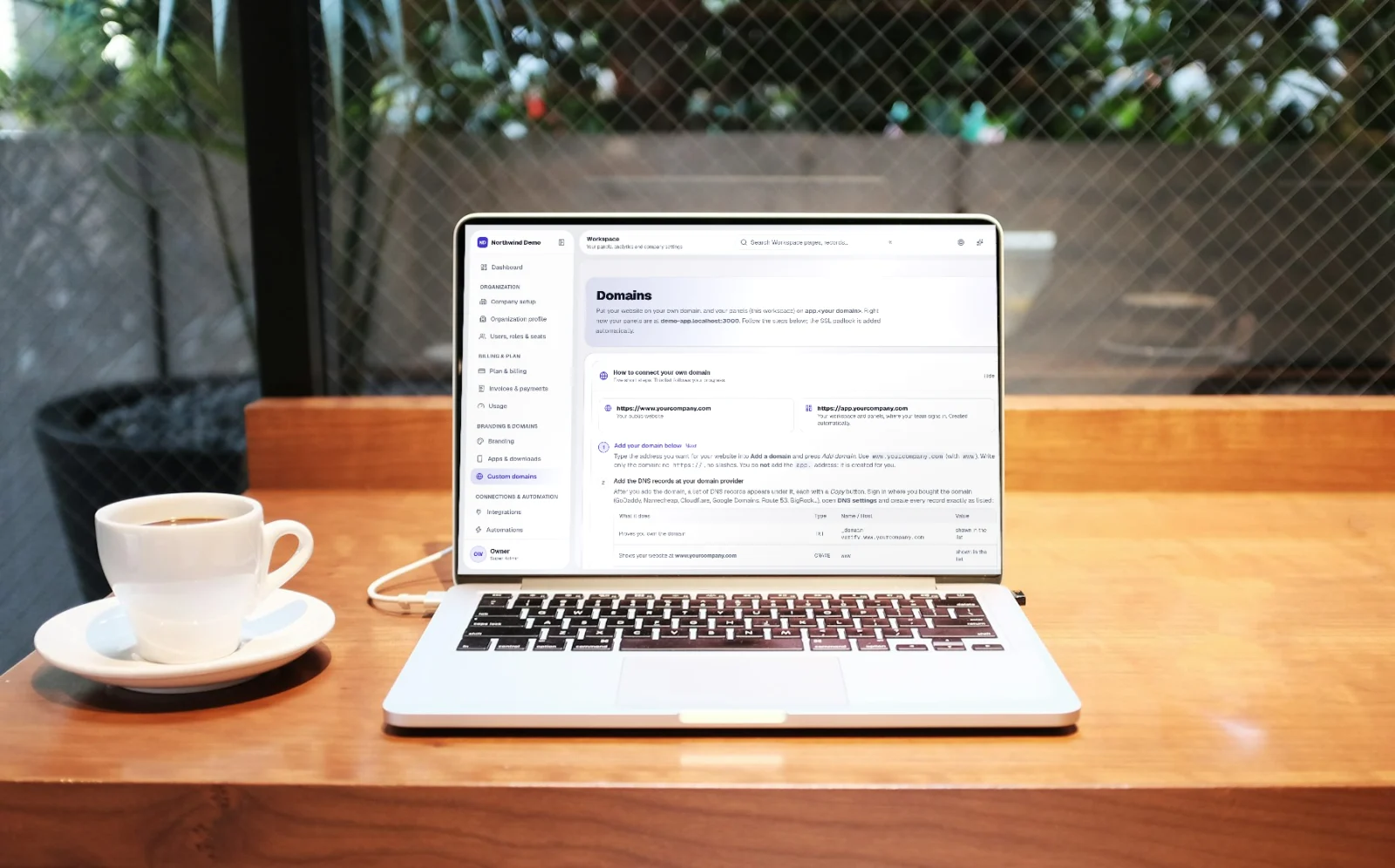
Your workspace should live on your domain, not ours. Under Settings > Domains, you can map two distinct web addresses:
1. Your Public Website: e.g., yourcompany.com (serving your marketing pages, blog, and contact forms).
2. Your Secure App & Client Portal: e.g., app.yourcompany.com or portal.yourcompany.com (serving your workspace products and client self-service).
Add the simple CNAME records to your DNS provider. SelfRun AI automatically verifies ownership and provisions a free, automatic TLS/SSL certificate that renews seamlessly in the background.
Step 3: Customizing Outbound Transactional Emails
System communications should always come from your own company domain. When a client receives an invoice, a candidate receives an interview invite, or an employee receives a payslip, the email must carry your name and address.
SelfRun AI allows you to configure your sender address (e.g., billing@yourcompany.com or support@yourcompany.com) with SPF, DKIM, and DMARC verification records. Your emails land reliably in client inboxes rather than spam folders, carrying your signature and footer branding.
Step 4: Branded Mobile and Desktop Applications
White-labeling extends beyond the web browser. SelfRun AI's platform architecture allows you to generate progressive web apps (PWAs), native desktop installers (Windows, macOS, Linux), and mobile builds (Android and iOS) that carry your icon and name.
Your clients and staff can install the app directly onto their phone home screen or laptop dock. Every time they launch it, they see your company splash screen, not a third-party software provider's.
Checklist for Launching Your Branded Client Experience
Prepare high-resolution PNG logos (transparent background, minimum 512x512 pixels) for both light and dark backgrounds.
Choose a primary brand hex color that maintains strong contrast against white and dark backgrounds for readability.
Configure your custom domain DNS records mid-week during business hours so your team can verify propagation promptly.
Send a test invoice and a test password-reset email to verify that sender names, reply-to addresses, and email footers look flawless.
Written by Product & Brand Team
SelfRun AI offers independent products for your website, leads, project delivery, payroll, and finance, managed as a suite under your own brand.
Start automating your business with SelfRun AI
All 20+ modules included on our free plan. Launch your website, manage your sales pipeline, and run payroll with zero complexity.