
1Your addresses
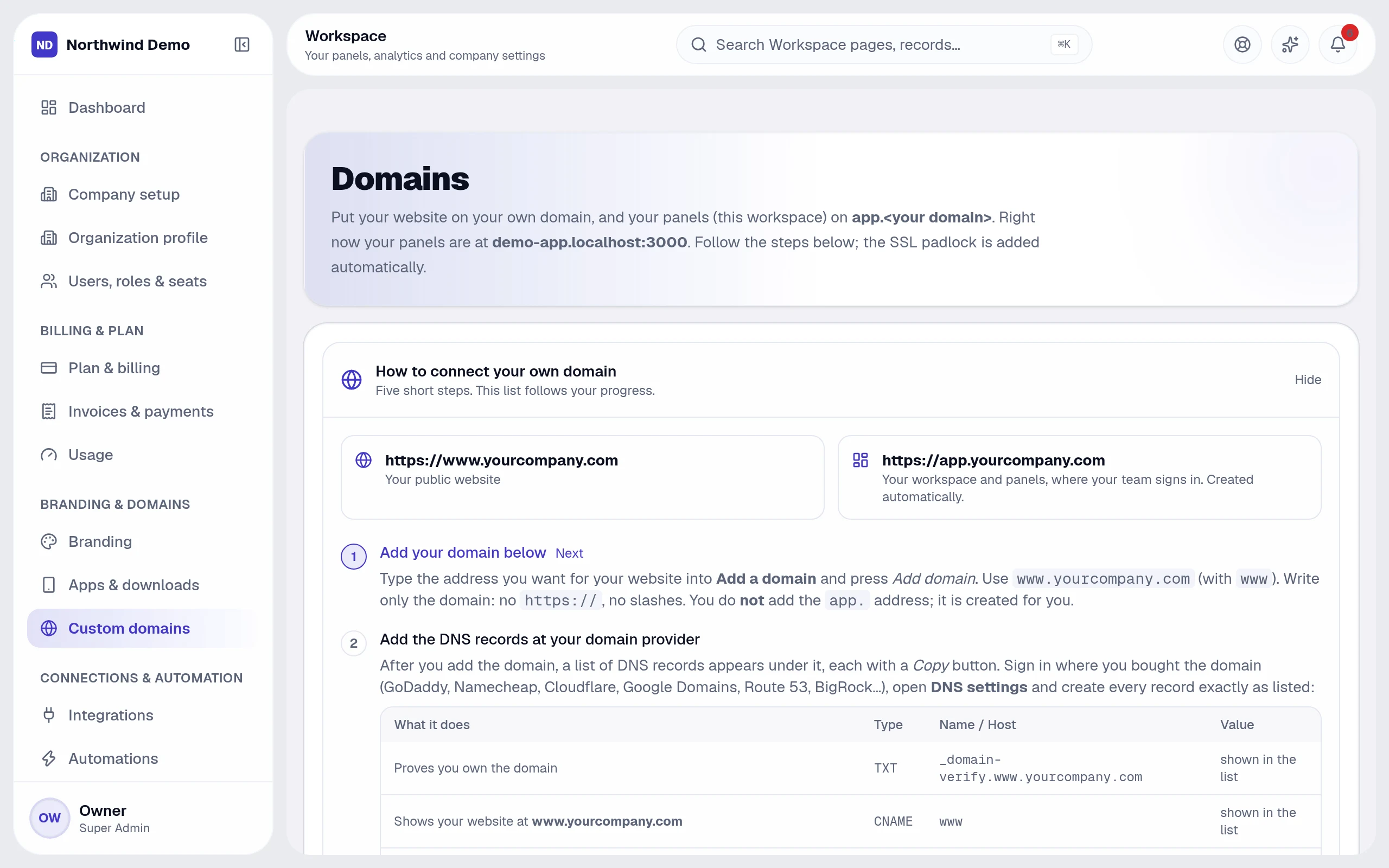
Every company starts with its own workspace address. Under Workspace → Custom domains you can also put your website on your own domain — for example www.yourcompany.com — and your panels on an app address such as app.yourcompany.com.
2Connect a domain
- Type your domain and choose Add domain
- Copy the DNS records the screen shows (a verification TXT record and the address records for your website and panels)
- Add them at your domain provider's DNS settings
- Return and verify — the platform checks ownership and issues the SSL certificate automatically
Tip · DNS changes can take a little while to spread. If verification does not succeed at once, try again later.
3Good to know
- Your free workspace address keeps working while you set up
- One screen lists every domain with its status
- Certificates renew on their own
Related guides