
The home of your company
29
features
1
automations out of the box
1 panel
replaces dashboards, user admin, automation tools
Every plan
free forever included
Overview
Workspace in one page.
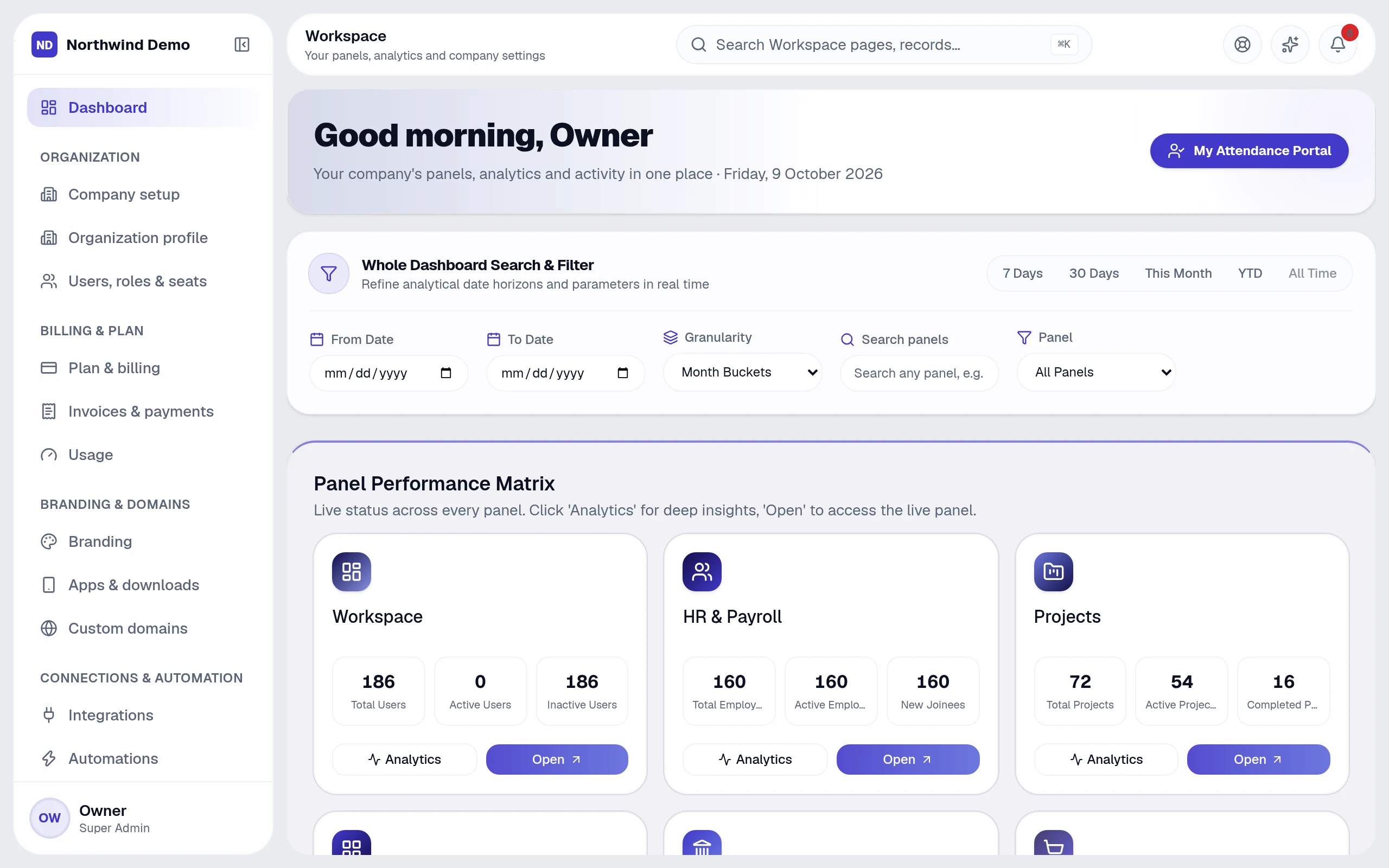
The Workspace is where the company is run from: every panel's numbers, every person's access and every automation in one place.
“The result
Leadership visibility and administrative control from a single screen.
Key capabilities
- Executive dashboard and per-module analytics
- Users, roles and fine-grained permissions
- Audit log across everything
- Workflow automations
- Data import
- Branding, domains and billing
What it covers
Replaces
Dashboards, user admin, automation & integration tools
Best for
Founders & owners · Administrators · Managers · Everyone
From start to finish
- 1Set up
- 2Invite
- 3Automate
- 4Oversee
Why teams use it
What Workspace gives you that separate tools don't.
It replaces dashboards, user admin, automation & integration tools — as one panel inside the same platform, on the same login and the same data.
See the whole company on one screen instead of opening ten tools
Control who can see and do what, down to a single action
Automate follow-ups across every panel without developers
One audit log and one place for billing, brand and security
Who uses it
One panel, the right view for everyone.
People see and do only what their role allows, so each person gets a screen that fits their job.
Founders & owners
Watch the whole company on one dashboard and control access, billing and brand.
Administrators
Invite people, assign roles, import data and switch panels on or off.
Managers
Open any panel's analytics with date, department and owner filters.
Everyone
Get one notification inbox and one place to manage their own sessions and devices.
How it works
From start to finish, step by step.
The Workspace is where the company is run from: every panel's numbers, every person's access and every automation in one place.
- 1
Step 01
Set up
A guided setup captures your company profile, departments and the panels your team uses.
- 2
Step 02
Invite
Invite people by email with a role; verified accounts get access to exactly the panels you choose.
- 3
Step 03
Automate
Build Trigger → Condition → Action workflows from templates or from scratch.
- 4
Step 04
Oversee
Follow every panel's live numbers, the audit log, usage against your plan and security.
29 features
Every Workspace feature, explained.
Grouped the way the panel's own menu groups them. All of it is included in every plan.
Command center
6 featuresExecutive dashboard
Every panel's live numbers on one screen
Panel performance matrix
Status and key counts for each panel, with one-click Open
Per-panel analytics
Drill into any panel with date, department and owner filters
Notifications
One inbox for everything that needs you, with notification settings
Documents
Files uploaded across projects, HR and the portal
Company-wide search
Find any record in any panel (⌘K)
Organisation
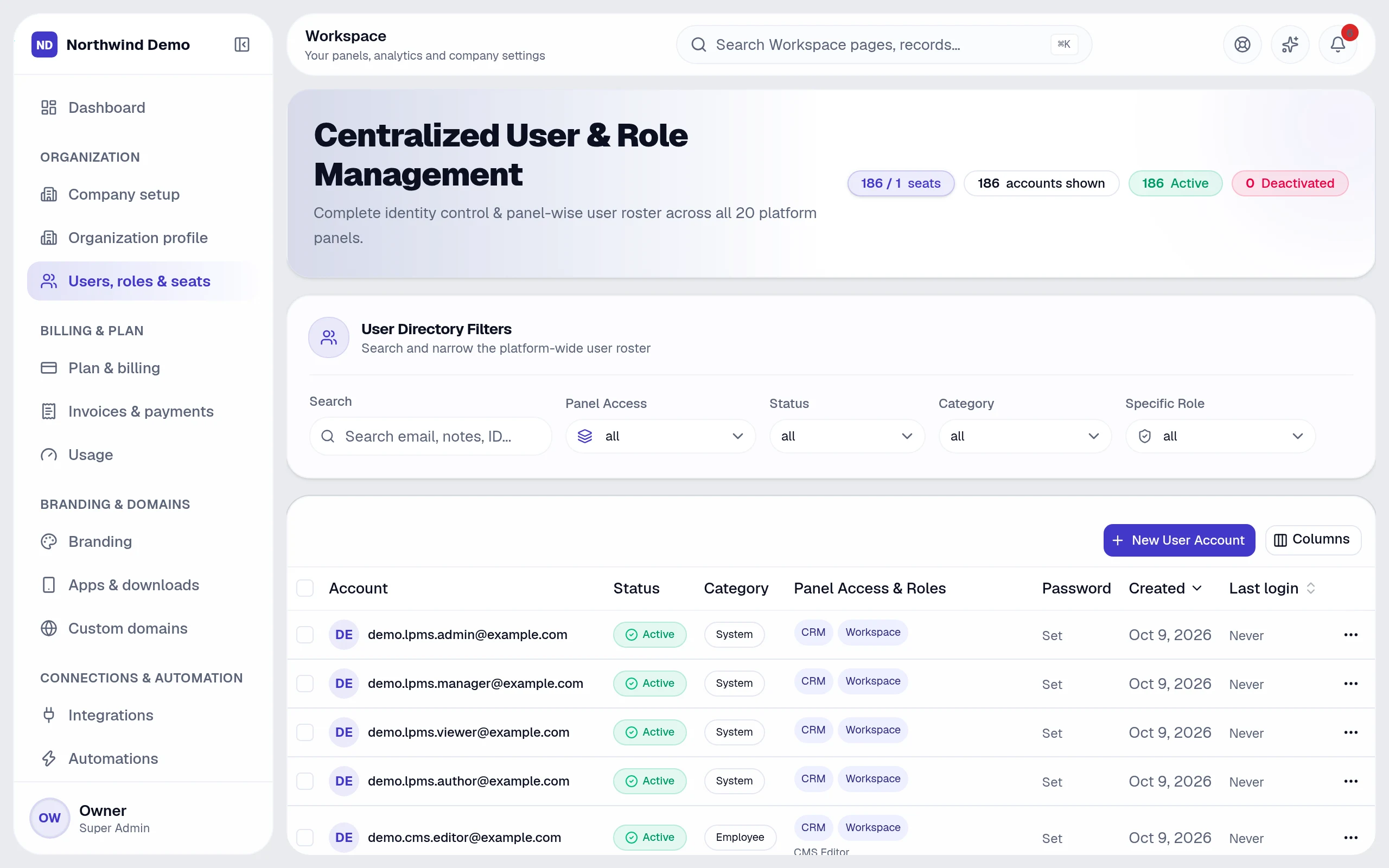
6 featuresGuided company setup
Profile, departments, invitations and which panels your team uses
Organization profile
Legal name, industry, country, currency, time zone, contacts
Users, roles & seats
Who can sign in, which panels and permissions, seats used
Invitations
Invite people by email with a role
Data import
Leads, clients and employees from validated CSV files
Email verification
Verified accounts before anyone gets access
Your brand
4 featuresBranding
Your logo, name, accent and theme across panels, emails and PDFs
Apps & downloads
Your own PWA, Android, iOS, Windows, macOS and Linux apps
Custom domains
Your own domain and panels host with automatic SSL
Payment account
Collect invoice payments and pay salaries through your own gateway account
Automation & integrations
4 featuresAutomations
Trigger → Condition → Action workflows with ready-made templates
Run history
See what every workflow did and why
Integrations
Payment gateway, webhooks, email and AI provider keys
Signed webhooks
Send events to the systems you already use
Security & audit
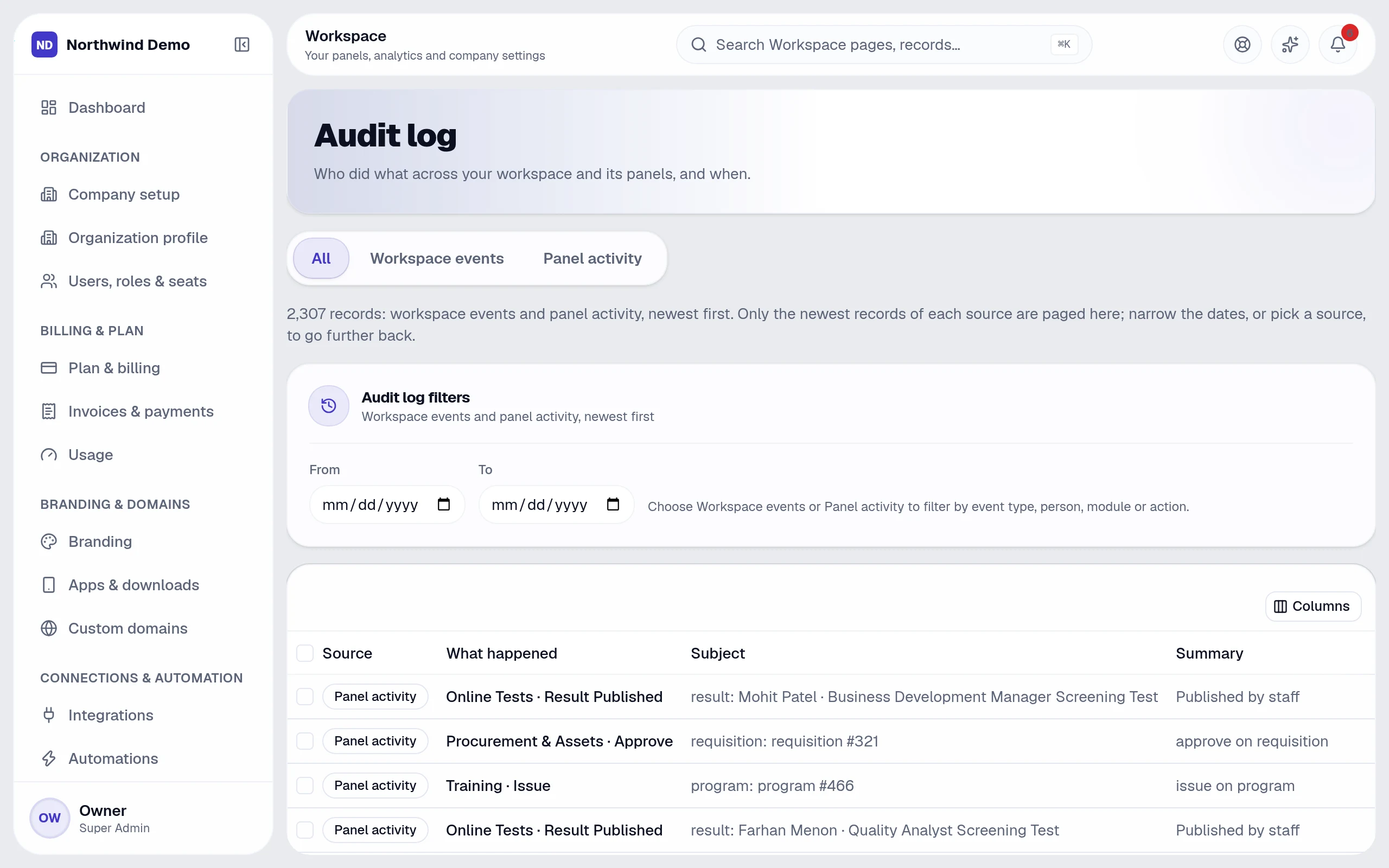
5 featuresAudit log
Who did what across every panel, and when — with CSV export
Security
Sign-in, password and accounts that need attention
Sessions & devices
Every signed-in device, with log out one or everywhere
Sign-in history
Sign-ins, failures and sign-outs kept for 180 days
Roles & permissions
Per-panel roles with per-action permissions
Billing
4 featuresPlan & billing
Your plan, payments, coupon codes and GST details
Invoices & payments
Tax invoices and credit notes for your subscription
Usage
Seats, AI, email, voice and storage used against your plan
Upgrade
Change plan any time
Runs automatically
Workspace works while you don't.
These happen on their own — notifications, reminders and hand-offs to other panels. Every run is logged, and you can pause any workflow.
Build your own Trigger → Condition → Action workflows
Build your own in Workspace → Automations.
Connected panels
Nothing is re-typed. Everything is connected.
Workspace shares one database with every other panel, so work moves between teams on its own.
Screens
Workspace, exactly as your team sees it.
Real, full-resolution screens of the live product, captured in a demo workspace with sample data.

Run Workspace — and every other panel — free.
Every panel and every feature is included in every plan, starting free forever for one person.
FAQs
Questions, answered.
Still deciding? These are the things people ask before they start.
What can I ask the AI?
Anything about your business data in plain language — for example overdue invoices, leads by source, who is on leave or which projects are late. It answers with text, a table or a chart and shows how it calculated the answer.
Can the AI change my data?
No. Questions are answered with read-only queries, and the AI only uses data the person asking is allowed to see.
Do I need to write code to automate things?
No. Workflows are built from a trigger, optional conditions and actions on a settings screen, starting from ready-made templates.
Can I build an AI assistant on my own documents?
Yes. Create a bot with your instructions and knowledge files, choose who can use it, and track its usage and cost.
Can AI answer my website visitors?
Yes. The website chatbot answers from a knowledge base you control, and Conversation AI adds voice. Every conversation is logged for review.