
Ask your business anything
9
features
1
automations out of the box
1 panel
replaces business-intelligence tools
Every plan
free forever included
Overview
AI Intelligence in one page.
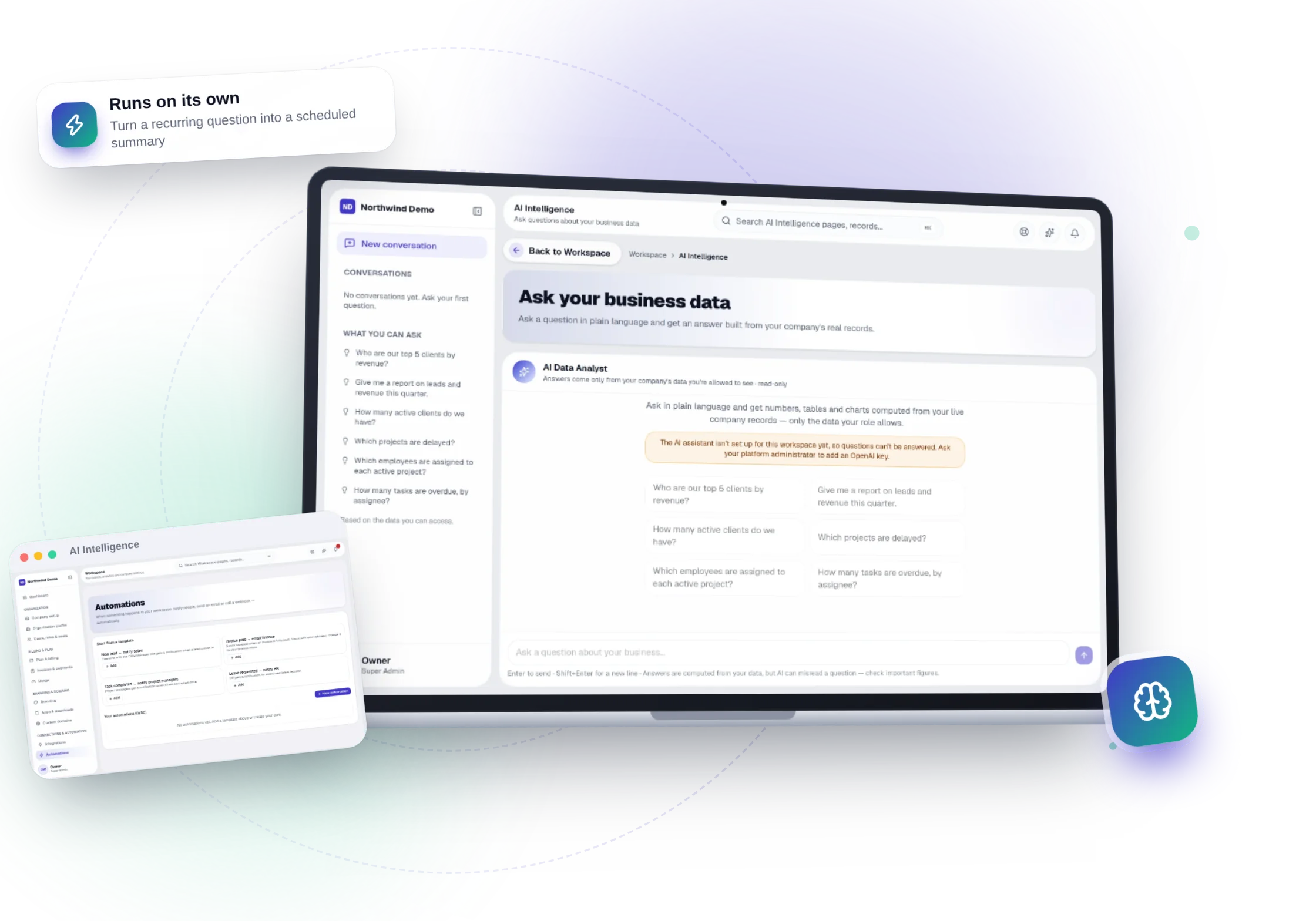
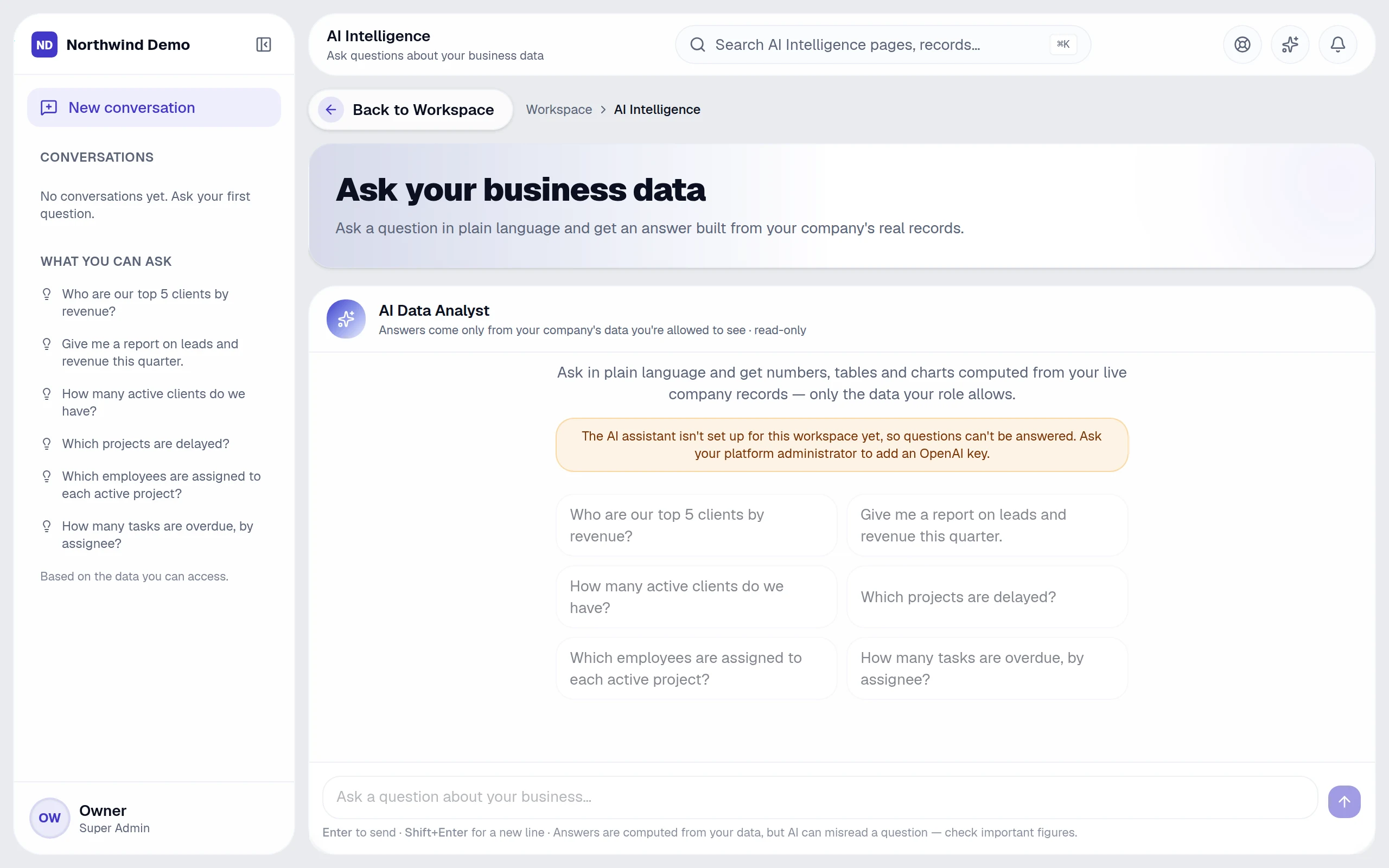
Ask your business a question in plain language. The AI plans a read-only query, runs it with your permissions and shows its working.
“The result
Leadership decisions in seconds instead of waiting for a report.
Key capabilities
- Natural-language questions across your modules
- Answers built from live data, never guessed
- Tables, charts and KPIs
- “How this was calculated” traceability
- Respects each person's access rights
What it covers
Replaces
Business-intelligence & reporting tools
Best for
Leadership · Managers · Finance, HR & sales leads · Anyone
From start to finish
- 1Ask
- 2Plan
- 3Answer
- 4Trust
Why teams use it
What AI Intelligence gives you that separate tools don't.
It replaces business-intelligence & reporting tools — as one panel inside the same platform, on the same login and the same data.
Leadership decisions in seconds, not after a report is built
Answers come from live records, never guessed
Every answer shows how it was calculated
People only get answers from data they may see
Who uses it
One panel, the right view for everyone.
People see and do only what their role allows, so each person gets a screen that fits their job.
Leadership
Get an answer in seconds instead of waiting for a report.
Managers
Ask about their own team's numbers.
Finance, HR & sales leads
Cross-check figures without exporting.
Anyone
Revisit and refine earlier questions.
How it works
From start to finish, step by step.
Ask your business a question in plain language. The AI plans a read-only query, runs it with your permissions and shows its working.
- 1
Step 01
Ask
Type a question the way you would ask a colleague.
- 2
Step 02
Plan
The AI chooses the records to look at and builds a read-only query.
- 3
Step 03
Answer
You get text, a table or a chart — with “How this was calculated”.
- 4
Step 04
Trust
Only data you may see is used, and sensitive fields are never offered to the AI.
9 features
Every AI Intelligence feature, explained.
Grouped the way the panel's own menu groups them. All of it is included in every plan.
Ask your business
5 featuresPlain-language questions
Across every panel's data
Answers from live data
Read-only queries, never guessed
Tables, charts & KPIs
The right view for each answer
How this was calculated
Every answer shows its working
Suggested questions
Start from what people ask most
Trust & control
4 featuresAccess respected
Only data the asker may see
Sensitive fields withheld
Never offered to the AI
Conversations
Search and revisit past questions
Usage metering
AI allowance tracked per plan
Runs automatically
AI Intelligence works while you don't.
These happen on their own — notifications, reminders and hand-offs to other panels. Every run is logged, and you can pause any workflow.
Turn a recurring question into a scheduled summary
Build your own in Workspace → Automations.
Connected panels
Nothing is re-typed. Everything is connected.
AI Intelligence shares one database with every other panel, so work moves between teams on its own.
Screens
AI Intelligence, exactly as your team sees it.
Real, full-resolution screens of the live product, captured in a demo workspace with sample data.

Run AI Intelligence — and every other panel — free.
Every panel and every feature is included in every plan, starting free forever for one person.
FAQs
Questions, answered.
Still deciding? These are the things people ask before they start.
What can I ask the AI?
Anything about your business data in plain language — for example overdue invoices, leads by source, who is on leave or which projects are late. It answers with text, a table or a chart and shows how it calculated the answer.
Can the AI change my data?
No. Questions are answered with read-only queries, and the AI only uses data the person asking is allowed to see.
Do I need to write code to automate things?
No. Workflows are built from a trigger, optional conditions and actions on a settings screen, starting from ready-made templates.
Can I build an AI assistant on my own documents?
Yes. Create a bot with your instructions and knowledge files, choose who can use it, and track its usage and cost.
Can AI answer my website visitors?
Yes. The website chatbot answers from a knowledge base you control, and Conversation AI adds voice. Every conversation is logged for review.