
From hiring to payroll, every people process in one place
23
features
4
automations out of the box
1 panel
replaces hr tools
Every plan
free forever included
Overview
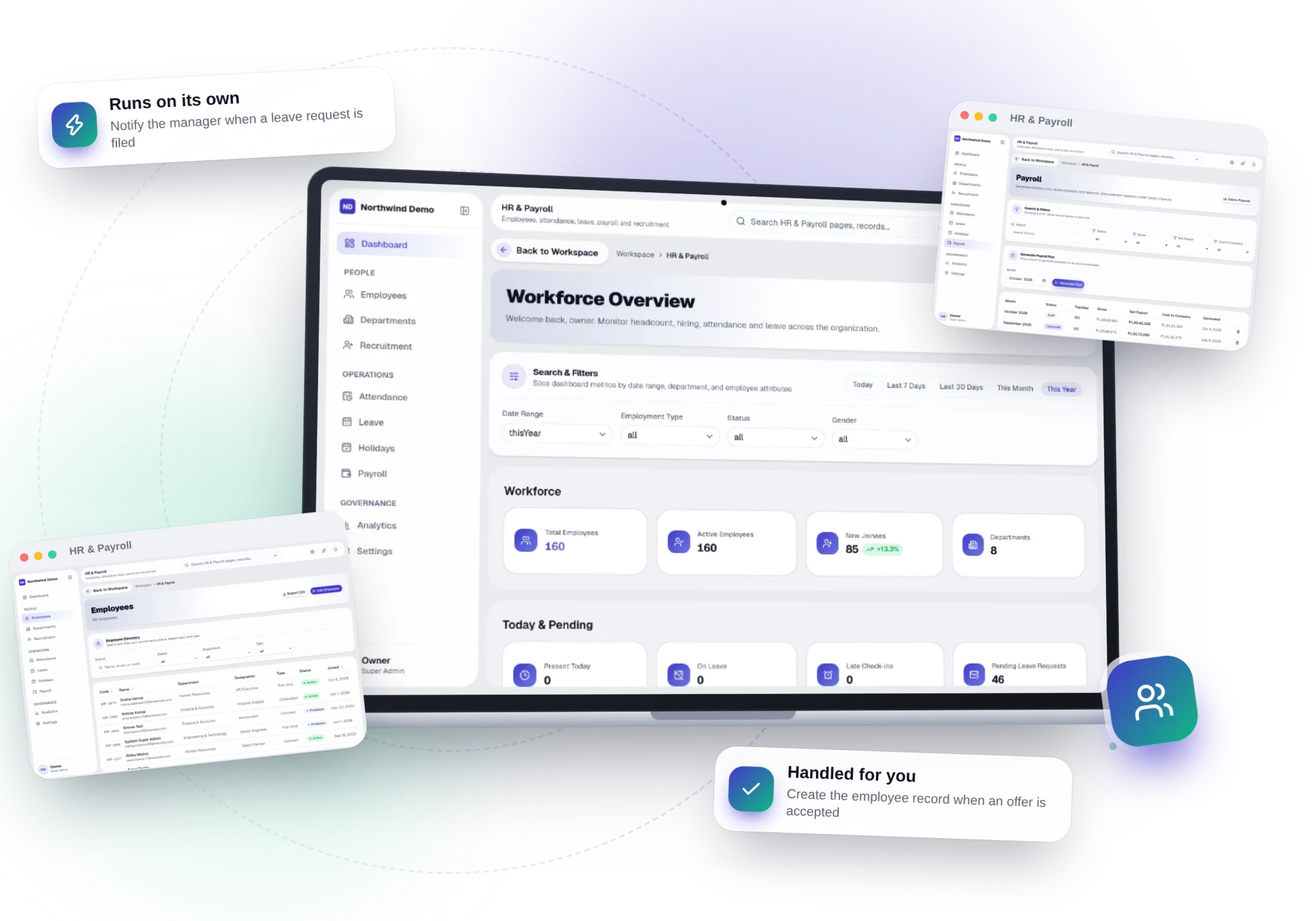
HR & Payroll in one page.
From the job post to the final settlement, every people process lives on one employee record that HR, managers and employees all use.
“The result
Hours of HR admin saved every week and employees who always know where they stand.
Key capabilities
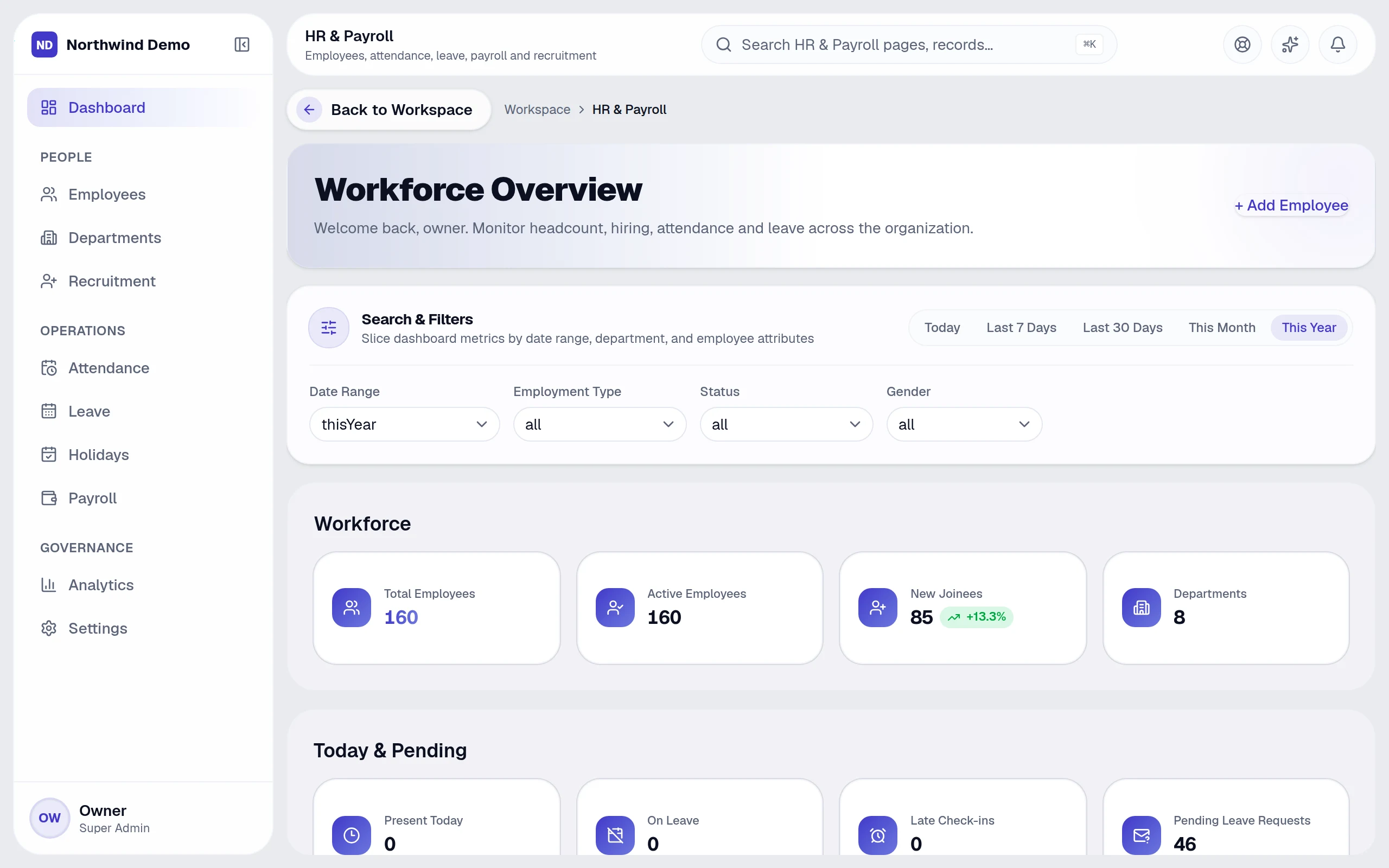
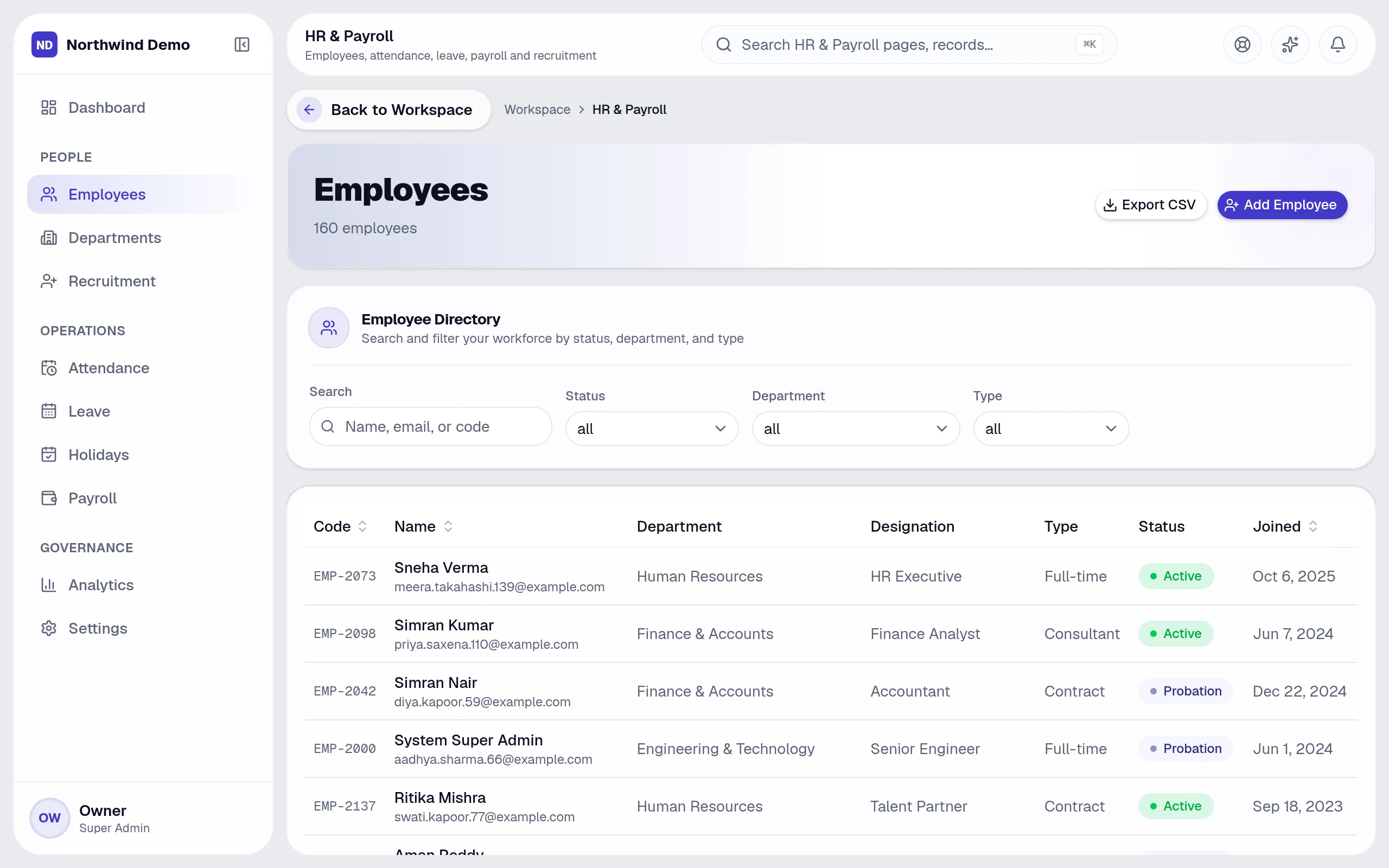
- Employee directory, documents and organisation tree
- Attendance with monthly calendar and reports
- Leave types, balances, requests and approvals
- Recruitment pipeline from application to offer
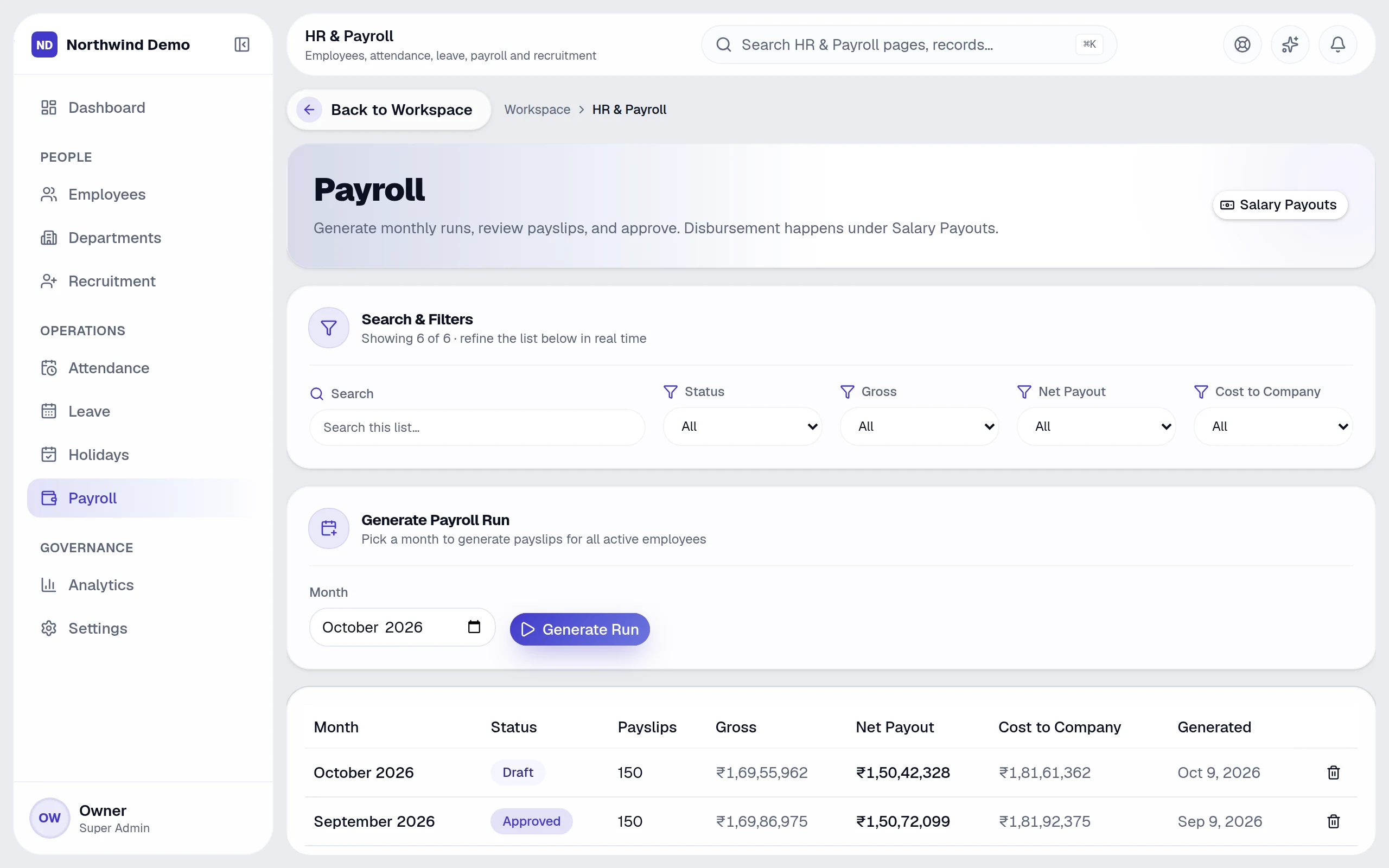
- Payroll runs, salary revisions and payslips
- Employee self-service: my attendance, leave, salary and documents
Replaces
HR & payroll software
Best for
HR team · Managers · Employees · Super Admin
From start to finish
- 1Hire
- 2Onboard
- 3Run daily operations
- 4Pay
Why teams use it
What HR & Payroll gives you that separate tools don't.
It replaces hr & payroll software — as one panel inside the same platform, on the same login and the same data.
Hire, onboard, track attendance and pay from one record
Employees self-serve leave, salary and documents — HR stops chasing
Payroll posts to Finance automatically
Managers approve leave and timesheets where they already work
Who uses it
One panel, the right view for everyone.
People see and do only what their role allows, so each person gets a screen that fits their job.
HR team
Run recruitment, employee records, leave rules and payroll.
Managers
Approve leave and see their team's attendance.
Employees
Check in, request leave, view payslips and documents themselves.
Super Admin
Set permissions and see HR analytics for the whole company.
How it works
From start to finish, step by step.
From the job post to the final settlement, every people process lives on one employee record that HR, managers and employees all use.
- 1
Step 01
Hire
Applications move through a recruitment pipeline; an accepted offer creates the employee record.
- 2
Step 02
Onboard
Documents, department and reporting line are filled in one place.
- 3
Step 03
Run daily operations
Attendance, leave requests, holidays and approvals flow to the right manager.
- 4
Step 04
Pay
Payroll runs, salary revisions and payslips — and the payout posts to Finance.
23 features
Every HR & Payroll feature, explained.
Grouped the way the panel's own menu groups them. All of it is included in every plan.
People
6 featuresEmployee directory
Every employee with profile, documents and status
Add & edit employee
Full personal, job and salary details
Departments
Teams, heads and reporting lines
Organisation tree
See who reports to whom
Recruitment
Pipeline from application to offer
Employee documents
Contracts, IDs and certificates per person
Operations
7 featuresAttendance
Monthly calendar, check-ins and late arrivals
Leave
Leave types, balances, requests and approvals
Holidays
Company holiday calendar
Payroll runs
Run payroll for a month with one flow
Salary revisions
Track every change in pay
Payslips
Generated and available to each employee
Salary payouts
Pay salaries and post them to Finance
Employee self-service
6 featuresMy dashboard
Each person's own HR home
My attendance
Check in and review your month
My leave
Request leave and see your balance
My salary & payslips
Pay history and downloads
My documents & profile
Personal records, always current
Company directory
Find colleagues across the company
Insight & control
4 featuresHR analytics
Headcount, hiring, attendance and leave trends
Settings
Leave rules, policies and permissions
Notifications
Leave requests and approvals reach the right person
Audit trail
Every change recorded in the central audit log
Runs automatically
HR & Payroll works while you don't.
These happen on their own — notifications, reminders and hand-offs to other panels. Every run is logged, and you can pause any workflow.
Notify the manager when a leave request is filed
Create the employee record when an offer is accepted
Alert HR before documents or probation periods expire
Post payroll results to Finance automatically
Build your own in Workspace → Automations.
Connected panels
Nothing is re-typed. Everything is connected.
HR & Payroll shares one database with every other panel, so work moves between teams on its own.
Ask AI
Ask HR & Payroll anything.
Plain-language questions, answered from your real records — with the working shown.
- “Who is on leave next week?”
- “How many people joined this quarter, by department?”
- “What is the monthly payroll trend?”
Screens
HR & Payroll, exactly as your team sees it.
Real, full-resolution screens of the live product, captured in a demo workspace with sample data.

Run HR & Payroll — and every other panel — free.
Every panel and every feature is included in every plan, starting free forever for one person.
FAQs
Questions, answered.
Still deciding? These are the things people ask before they start.
What can I ask the AI?
Anything about your business data in plain language — for example overdue invoices, leads by source, who is on leave or which projects are late. It answers with text, a table or a chart and shows how it calculated the answer.
Can the AI change my data?
No. Questions are answered with read-only queries, and the AI only uses data the person asking is allowed to see.
Do I need to write code to automate things?
No. Workflows are built from a trigger, optional conditions and actions on a settings screen, starting from ready-made templates.
Can I build an AI assistant on my own documents?
Yes. Create a bot with your instructions and knowledge files, choose who can use it, and track its usage and cost.
Can AI answer my website visitors?
Yes. The website chatbot answers from a knowledge base you control, and Conversation AI adds voice. Every conversation is logged for review.