
1How it works
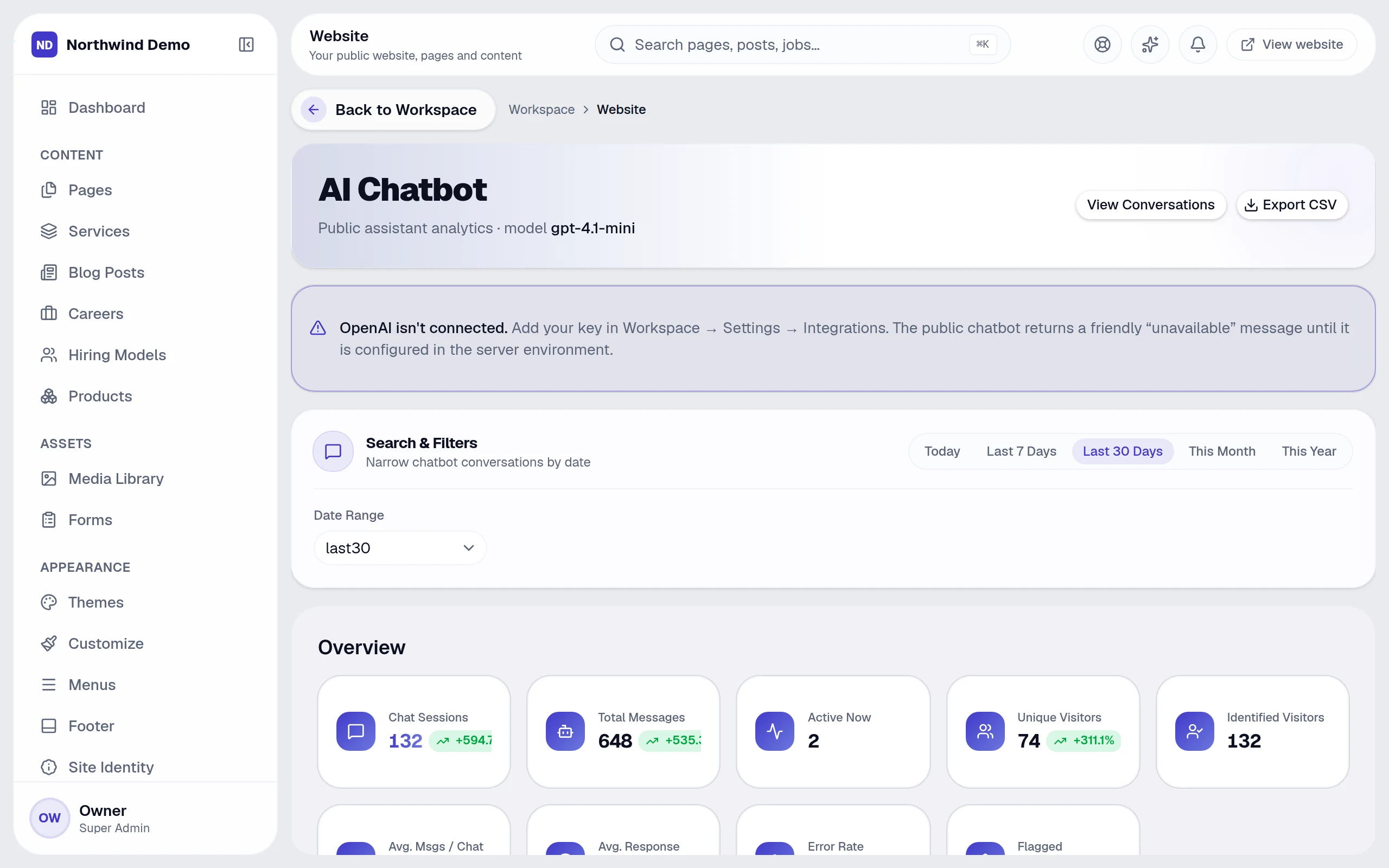
The website chatbot answers visitors from a knowledge base you control. Under Website → AI Chatbot you add your content, set the chatbot's behaviour in AI Config, and review every conversation.
2Set it up
- Add your knowledge: the pages, FAQs and documents the chatbot may answer from
- Set tone and limits in AI Config
- Switch it on for your website
- Review conversations and improve the knowledge base from real questions
3Voice conversations
Conversation AI adds voice: choose a voice and behaviour in the voice configuration, and every call is logged alongside chats.
4Stay in control
The chatbot answers only from what you gave it, every conversation is stored for review, and AI usage counts against your plan's allowance.
Related guides